Fine-Tuning Excellence: How Wounded Buffalo Streamlined Their Pro Tools Workflow with Maru Training
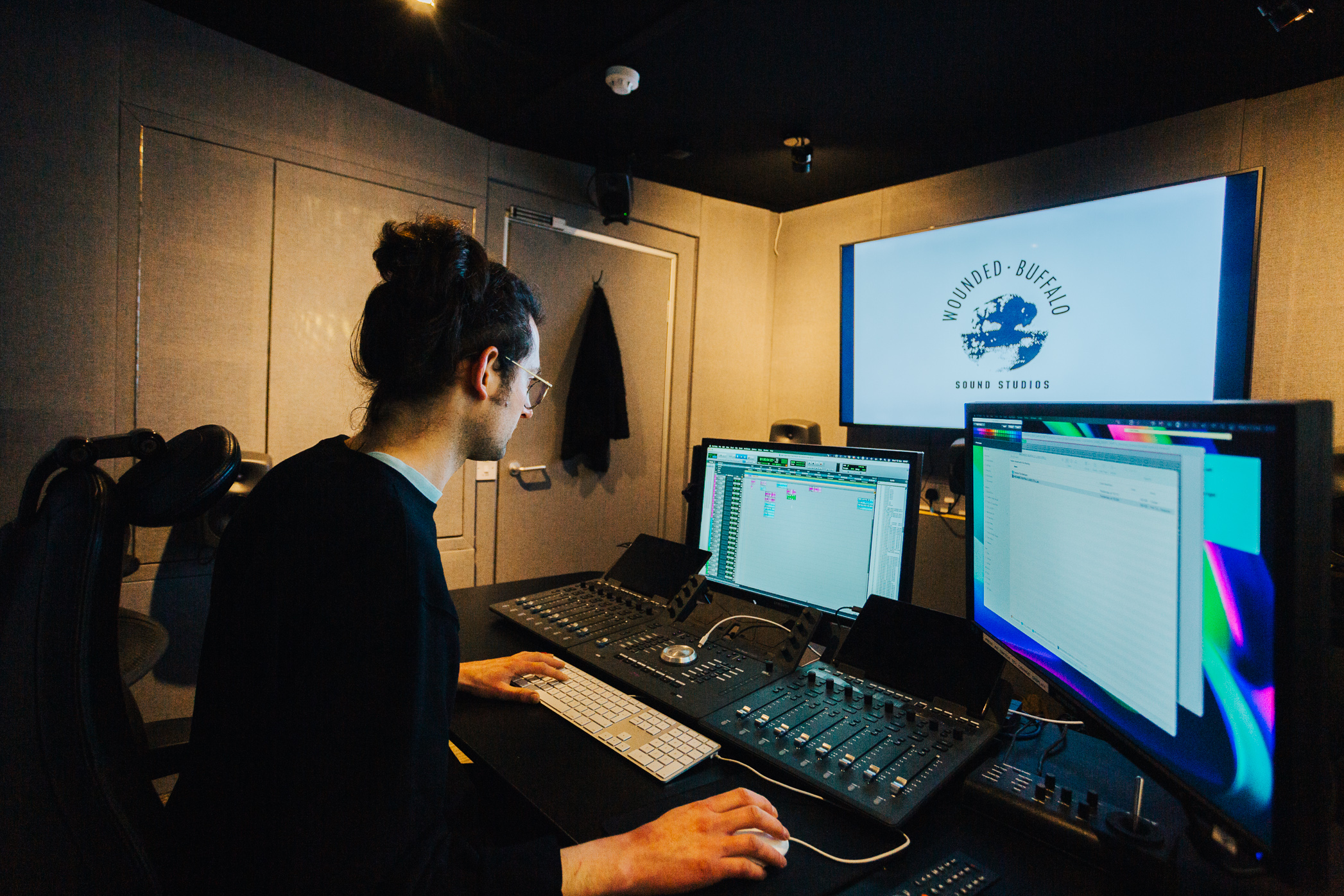
Wounded Buffalo has been producing sound for film and television for over 30 years. Their award-winning team has built an impressive portfolio of work, and their Bristol studios include a Dolby Atmos Feature Certified dubbing theatre—the only one of its kind in the South West of the UK. When they wanted to raise their game, they knew just where to go for training — Maru.
With Maru’s Pro Tools Master Instructor, Andy Hagerman, they focused on refining techniques, uncovered overlooked tools, and found ways to make Pro Tools work even more efficiently within their existing setup. The sessions sparked plenty of “ah-ha” moments—small discoveries that make a big difference in everyday production. And to put the cherry on top, they all earned Pro Tools Specialist certification! Maru spoke with Barnaby Malins, one of Wounded Buffalo’s engineers, about what he learned, the features he now can’t live without, and why hands-on training still beats figuring things out alone.
For people who don’t know you, what is your main role in your organisation?
Click the button to see Barnaby’s answers ⤵

I’m the in-house engineer and tech problem-solver at Buffalo. Because we’re a small company that deals exclusively with audio post-production—unlike most facilities that combine picture editing, grading, and sound—everyone here has to wear multiple hats. For me, that means Pro Tools is at the centre of almost everything I do, whether it’s setting up workflows and I/O for each room, building templates, importing and exporting media, or handling the editing myself. I came into the role with a solid grasp of the fundamentals, but working in a professional facility quickly showed me how many features and workflows I’d never been exposed to. Pro Tools has so many layers, and I knew there was a lot more to learn.
What challenges were you facing in your work that led you to seek Pro Tools Specialist Certification training?
Pro Tools is incredibly deep, and while I could get around it well enough for day-to-day use, I realised I was neglecting a lot of features that could massively improve my workflow. The training was a way to close those gaps and really understand what I’d been missing. It also made sense in the wider context of our team. Our team span nearly four generations, with people who learned Pro Tools at very different stages in its development. Some came from a tape background, so they naturally bring a different mindset to how they approach the software. The training gave us a shared foundation, and a way of bridging those differences so everyone could get the most out of the tools available now.
Can you share a specific breakthrough moment during the training when a complex concept or technique suddenly made sense?
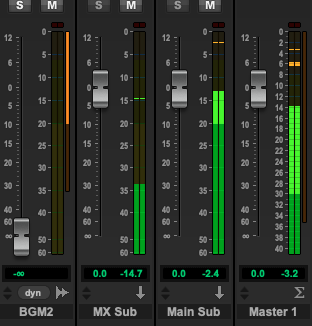
One of the big light bulb moments for me during the training was around how Master Faders actually work in Pro Tools. I’d always thought of them as purely a “final output” channel strip. In fact, I naïvely thought that Master Faders could or would only ever be employed once in a session, as a final gain stage before hitting the output bus/monitoring. But then in the class, when we started looking at using Master Faders for internal busses, that’s when things got a bit confusing for me.
At first, I couldn’t wrap my head around why you’d ever need a Master Fader for, say, an FX bus, if you already had a Routing Folder or an Aux track controlling that group. My thinking was: “Well, the Folder fader is at the end of that track, so if it’s clipping, just pull it down, right?” But what the trainers showed us — and what really clicked for me — was that clipping can happen at the bus before the Folder ever sees the signal. So the Routing Folder fader can’t fix that, because by the time the audio reaches it, the distortion’s already baked in.
The breakthrough was realising that a Master Fader doesn’t sit “after” the Folder — it sits on the bus itself, at the end of that signal path. So in practice, it’s upstream from anything that takes that bus as an input. That’s why you can use it to trim the sum of signals before they overload the next stage. Once I understood that distinction — Folder fader controls the output of the track, Master Fader controls the output of the bus — it completely untangled what felt like a contradiction. It sounds like a small detail, but for me, that was one of those “ohhh, now I get it” moments where Pro Tools’ routing architecture suddenly made a lot more sense.
What can you do now that you couldn’t do before the training?
Before the training, I honestly had no idea what Playlists were in Pro Tools. I’d seen the term pop up, but I assumed it was just another way of saying “track” — I was way off. What I learned is that Playlists are essentially alternate versions of the same track, and that’s incredibly powerful. Instead of duplicating a track over and over to try out different edits, comps, or takes, you can keep everything contained in one lane and flip between variations instantly. For music, that might mean creating multiple vocal comps or different guitar solos and then comparing them seamlessly. In post, it’s just as useful: you can try different sound effect edits, reorder clips, or test alternate dialogue takes, all while keeping your main timeline clean and organized. It gives you the freedom to experiment without cluttering your session — and it makes going back to a previous idea as simple as switching a Playlist.
So what I can do now that I couldn’t before is work more fluidly and non-destructively. I can audition multiple versions of a track or sequence in a structured way, without losing the thread of my main session. That workflow shift alone has made Pro Tools feel a lot more creative for me, rather than just a technical tool.
What parts of your workflow have been improved after taking this training?
One big improvement for me has been learning how to really make the most of Pro Tools’ music-focused features, even though I primarily use it in post. I’ve always thought of Pro Tools as “the post-production DAW,” and while I had a passing familiarity with things like the Workspace window—mainly for relinking missing files—I didn’t appreciate how powerful it could be as a built-in file browser. The training opened my eyes to just how quickly you can audition sounds and spot them straight to the timeline. Before, I was constantly jumping back and forth to Finder, manually previewing and dragging files in, all the while not realizing Pro Tools already had a much sleeker, integrated way of doing this. For someone who doesn’t yet have a dedicated library manager like Soundminer or BaseHead, that’s been a real upgrade to my day-to-day workflow.
Another subtle but equally useful improvement has been in understanding tick-based versus sample-based audio. That might sound like a “music-only” feature, but it’s actually incredibly powerful for creative post work as well—giving me much more flexibility in how I approach editing, timing, and sound design.
Who do you think would benefit most from this training?
I think people of all ages and experience levels would benefit from this training. My team all took part, and we’re a real mix of ages and points in our careers. Some of them are extremely established, with decades of Pro Tools experience, and even they discovered features they either didn’t know about, or had never really understood how to apply until the training shone a light on it.
That’s not a reflection on anyone’s ability—it just shows how much depth there is to Pro Tools, and how many different ways there are to work with it.
Speaking personally, I really wish I’d had this kind of hands-on teaching when I first started out with Pro Tools. I’ll admit I’ve never been the best with manuals—I’m much more of a hands-on learner. You can teach yourself the software front to back if you’ve got the patience, but having someone explain things clearly, being able to try them yourself in real time, and asking questions as you go… that’s invaluable. It’s so much better than the frustration of constantly thinking “I know how to do this in Logic” and then trawling through forums to figure out the Pro Tools equivalent, which is how I learned at the start.
Maru Training made learning Pro Tools a joy. Even though I already had a solid grasp of the software going in, I came away with so much new knowledge — and a lot of puzzle pieces finally clicked into place.
Brilliant to see these outcomes folks! You’re in such good hands with Alex & Andy (the Guru!) 😀